
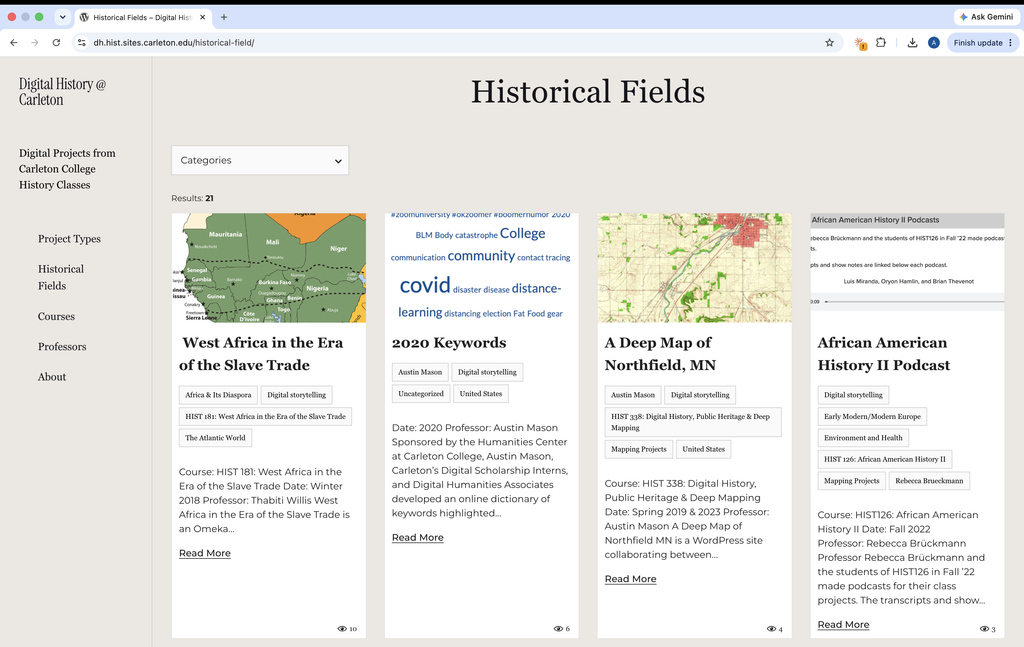
During my first term as a Digital Humanities Associate (DHA) at Carleton College, I worked with tools like Omeka and WordPress, mostly structuring, formatting, and migrating data.
My main project was building a website to pull together all the digital projects done by the History Department. Getting the site built was great, but the biggest thing I took away from the term really comes down to one word: accessibility.
Before this job, if I built a website for a class or a personal project, I’d usually get it to a point where I thought, “That looks good enough,” and call it a day. Accessibility never crossed my mind. Early on in my DHA meetings, whenever accessibility came up, I’ll admit I felt a bit of dread, not because I didn’t care, but because I realized how much extra thought and revision it actually takes. It forces you to stop looking at whether a page just looks nice and start asking who can actually use it.
Over the term, that mindset stuck with me. It’s wild how easily a small design flaw can become a massive roadblock for someone else. We’ve all gotten annoyed at a clunky website and just closed the tab. Even at the end of break, while booking tickets for the campus shuttle, I caught myself picking apart the site’s bad interface and spotting accessibility issues. I’ve started noticing the same things on everyday platforms like Moodle and Workday, too. Small oversights waste people’s time and just leave them frustrated, which is exactly how I’ve felt using Workday dozens of times.
When you build a site and know how it works inside and out, it’s hard to see where someone else might get stuck. Working as a DHA has started training my eye to step outside my own perspective, catch those blind spots early, and design with everyone in mind from the start.
At the end of the day, making things for the web only matters if people can actually use them and even the smallest problems can discourage others from doing so. I’m glad my first term at Carleton taught me not just how to spot where a site falls short, but how to fix it myself.
-Aya Yasumoto
